Designing the UI of Hot Set, Part 3: Putting the Money on Screen
Designing the UI of Hot Set, Part 3: Putting the Money on Screen
Saturday, November 14. Part 3 of 3. Part 1 and Part 2 come first.
On Day 3 the game learned to keep score. My job was making that score readable while a scene is playing.
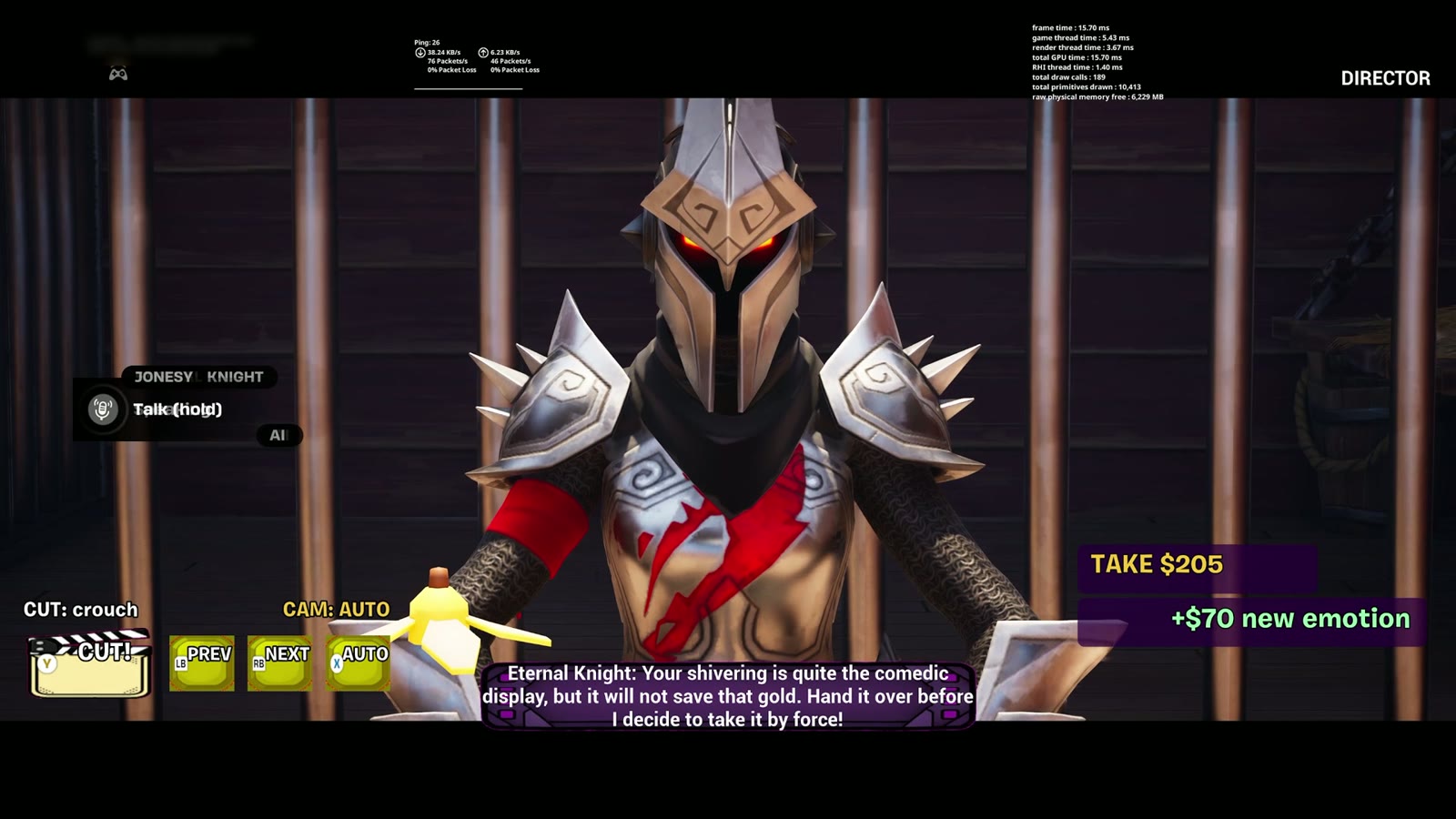
The take counter
A small plate now sits at the right of the frame during a take: TAKE $205. When the actors earn a bonus, a line slides in under it: +$15 line, +$70 new emotion, +$20 stage event. It had to be readable at a glance and stay out of the actors' faces.
The camera bar
Bottom left: a CUT clapper and three buttons for previous camera, next camera and auto. During a take the frame goes letterboxed, and the HUD lives in the bars.
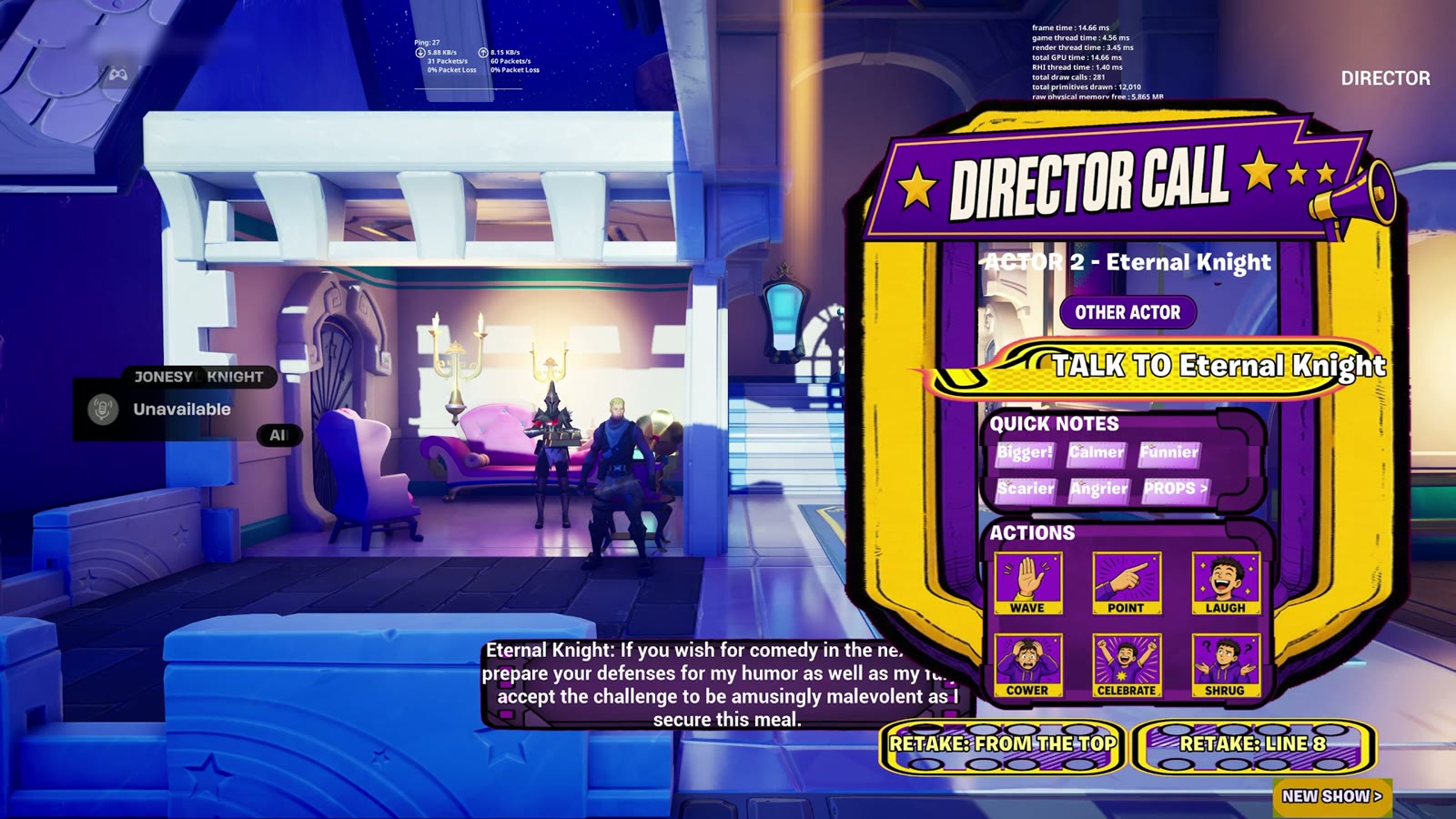
The Director Call panel
The placeholder buttons from Day 2 became one panel with a gold frame and a megaphone header. From top to bottom: which actor you are directing, a button to talk to them, six quick notes, six action icons (wave, point, laugh, cower, celebrate, shrug), and two retake buttons. One panel, one hand on the controller.
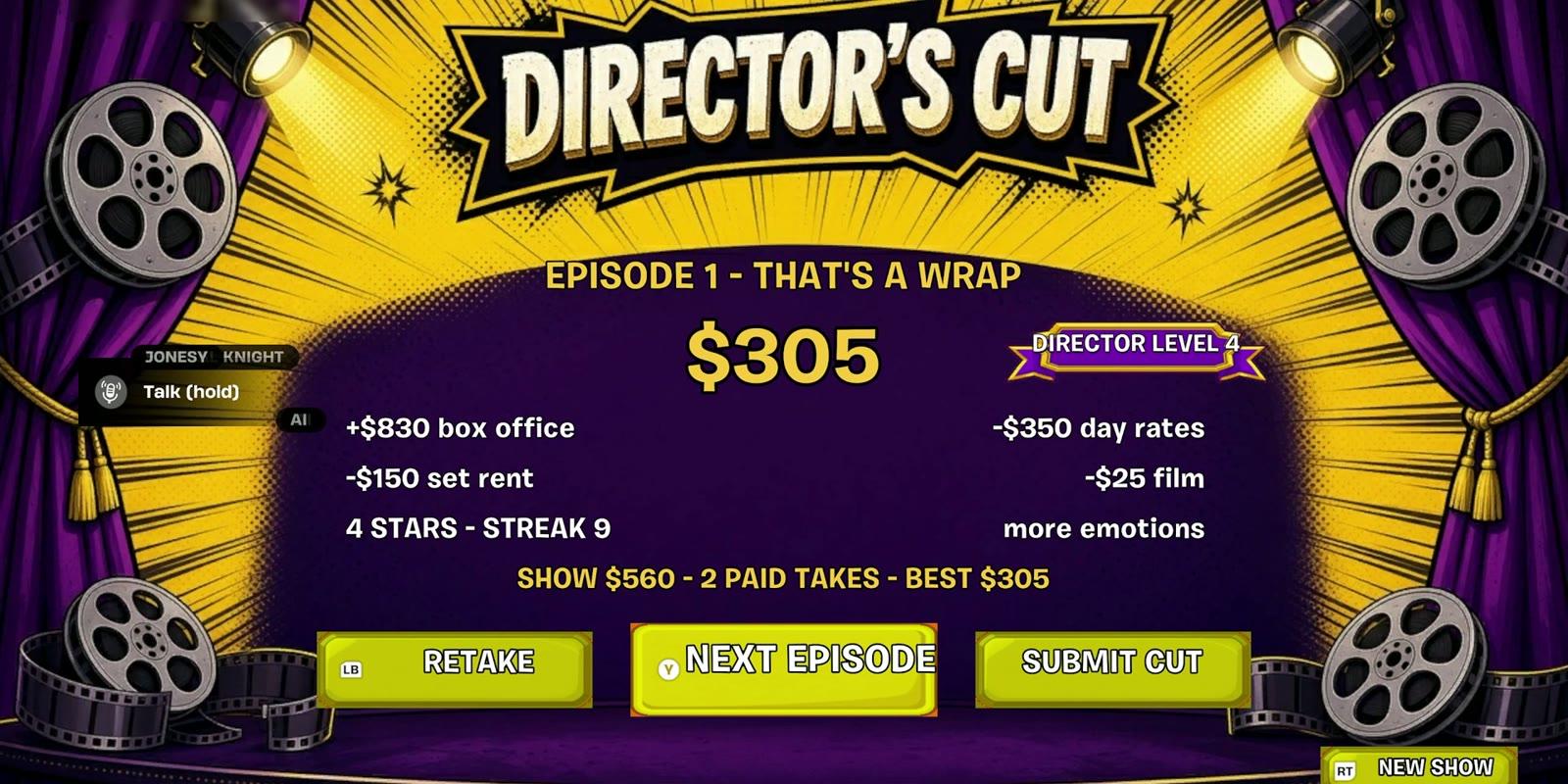
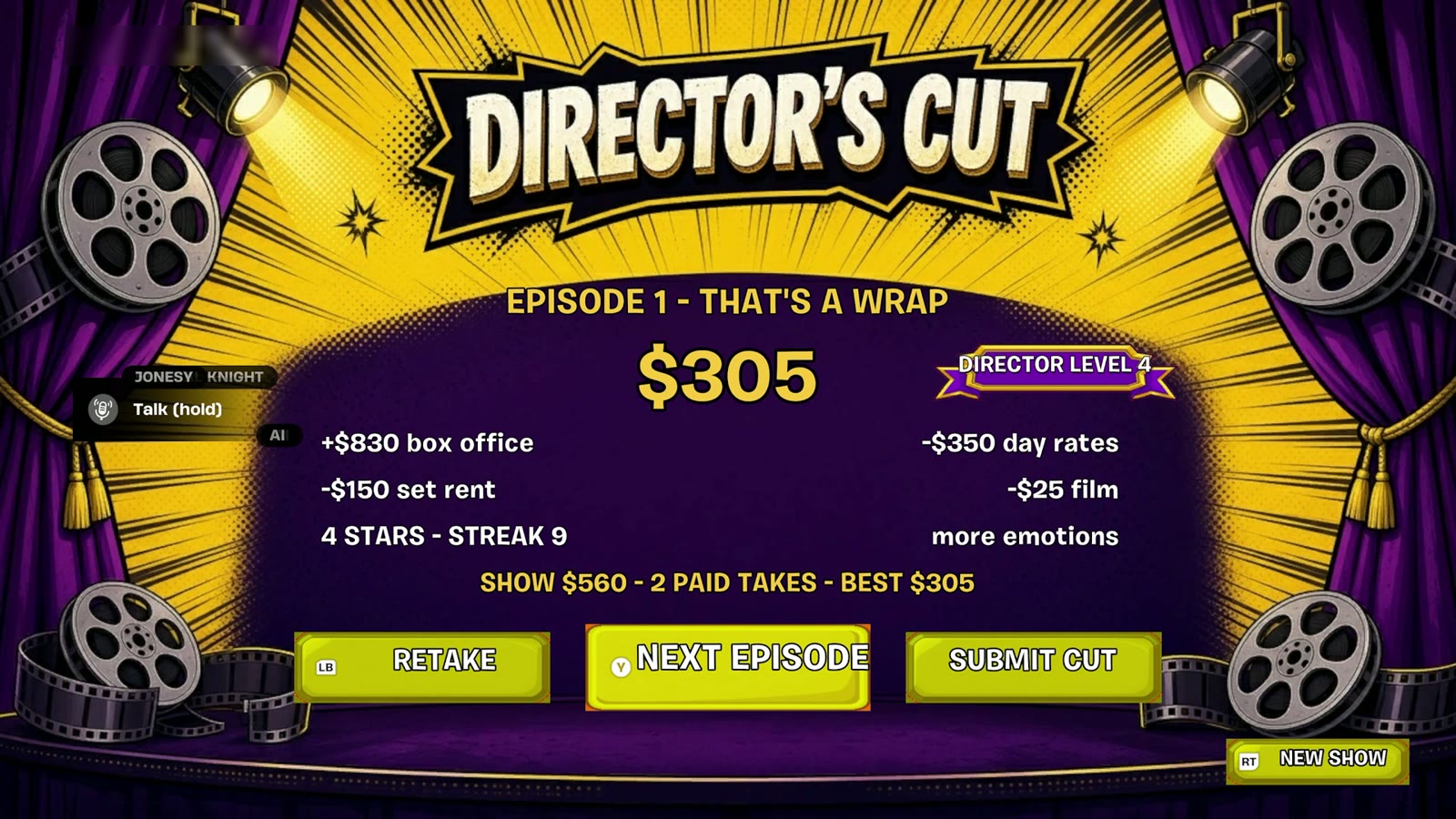
The Director's Cut screen
The end of an episode needed a payoff. I built it as a theatre again: purple curtains, reels and spotlights, the take-home in large numbers, and the maths underneath. This test episode read $830 box office, minus $350 day rates, minus $150 set rent, minus $25 film: $305 and four stars. Three buttons finish it: Retake, Next Episode, Submit Cut.
Smaller screens
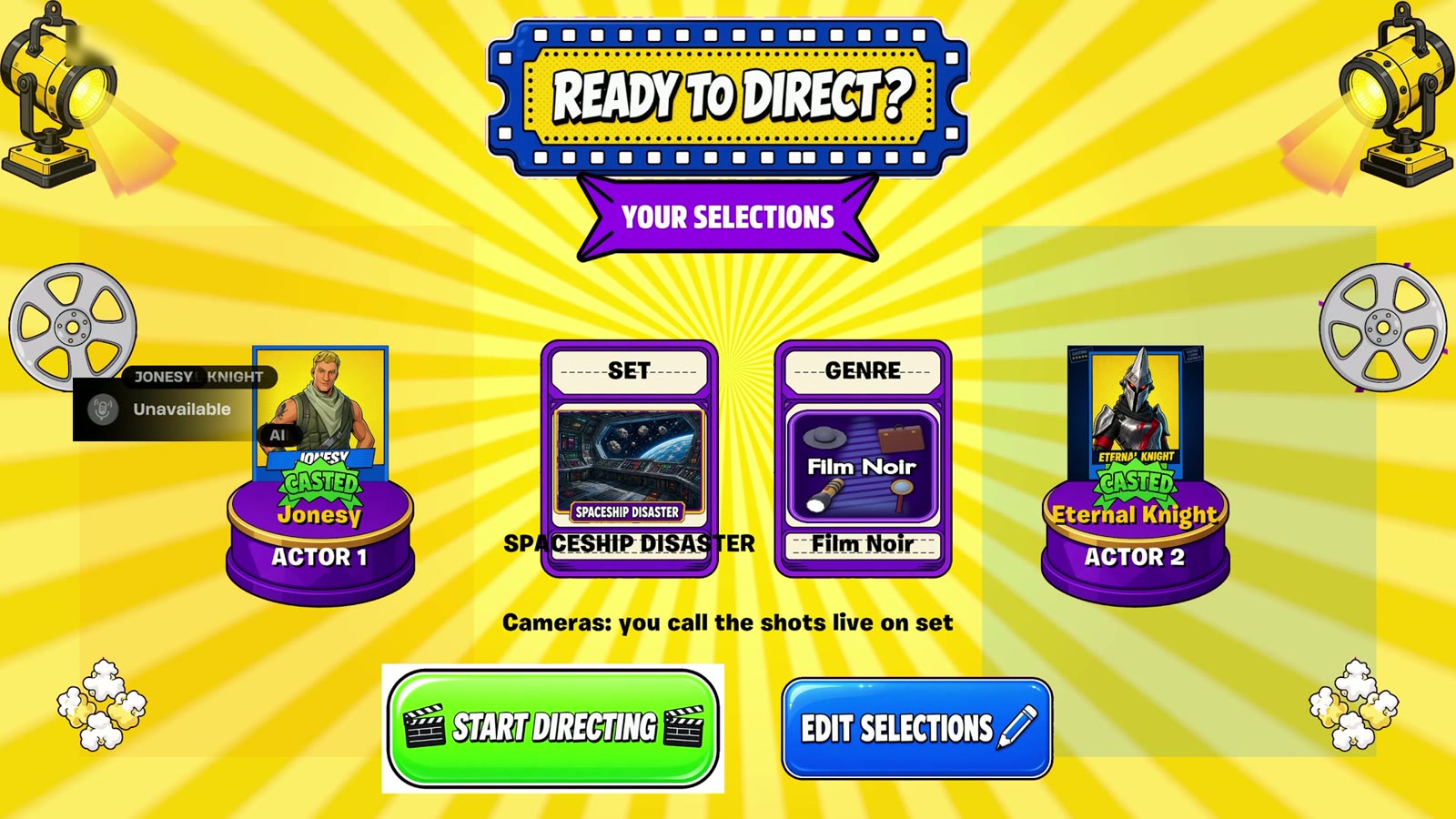
A "Ready to Direct?" recap shows your two actors on podiums with the set and genre cards between them. A microphone check asks whether you have a mic before the game asks you to pitch out loud. Every set and genre card got its own art.
Evening: a second pass
I rebuilt Choose Your Set in a darker purple and gold style, with larger art and the unlock cost printed on a locked card.
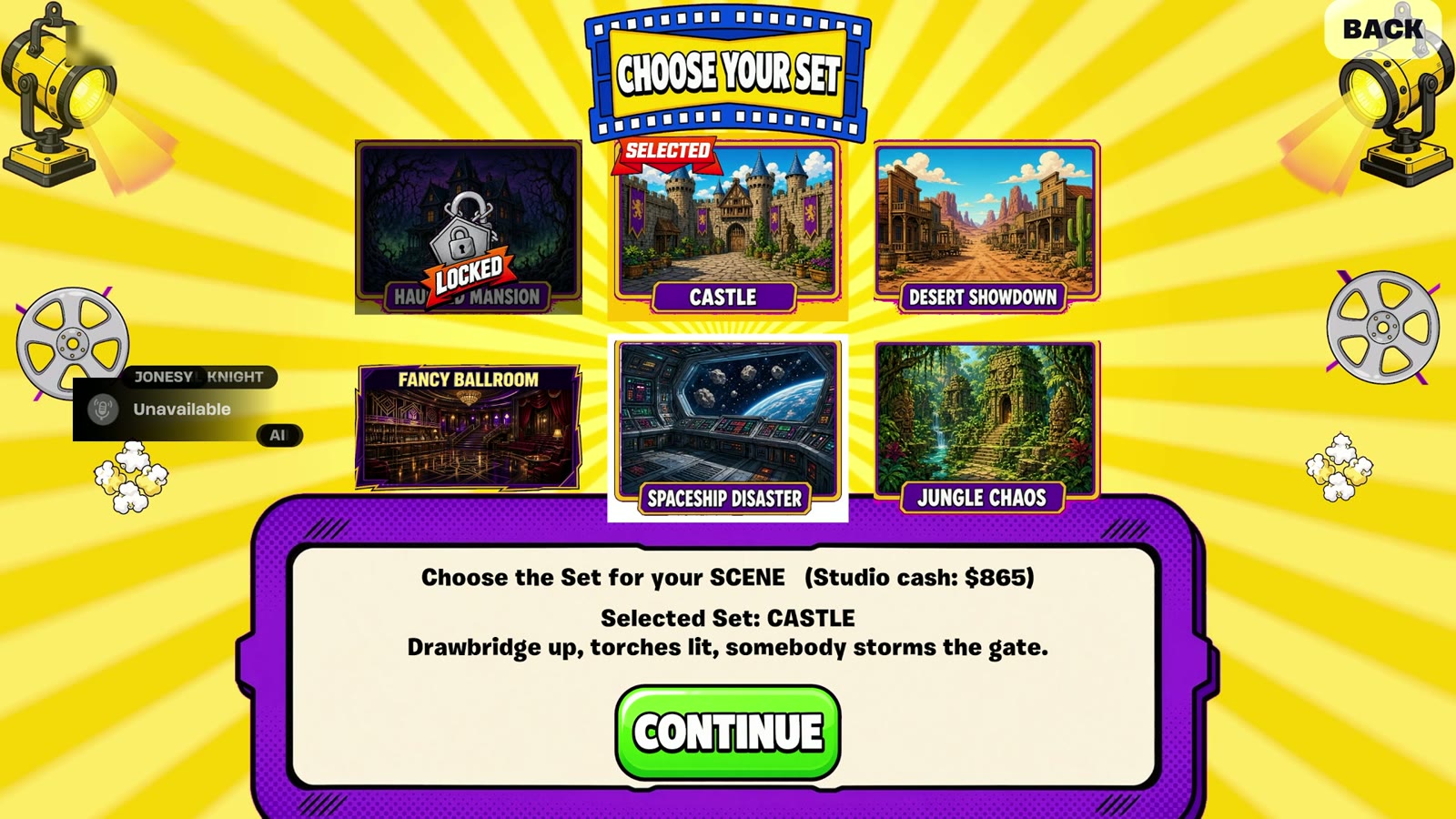
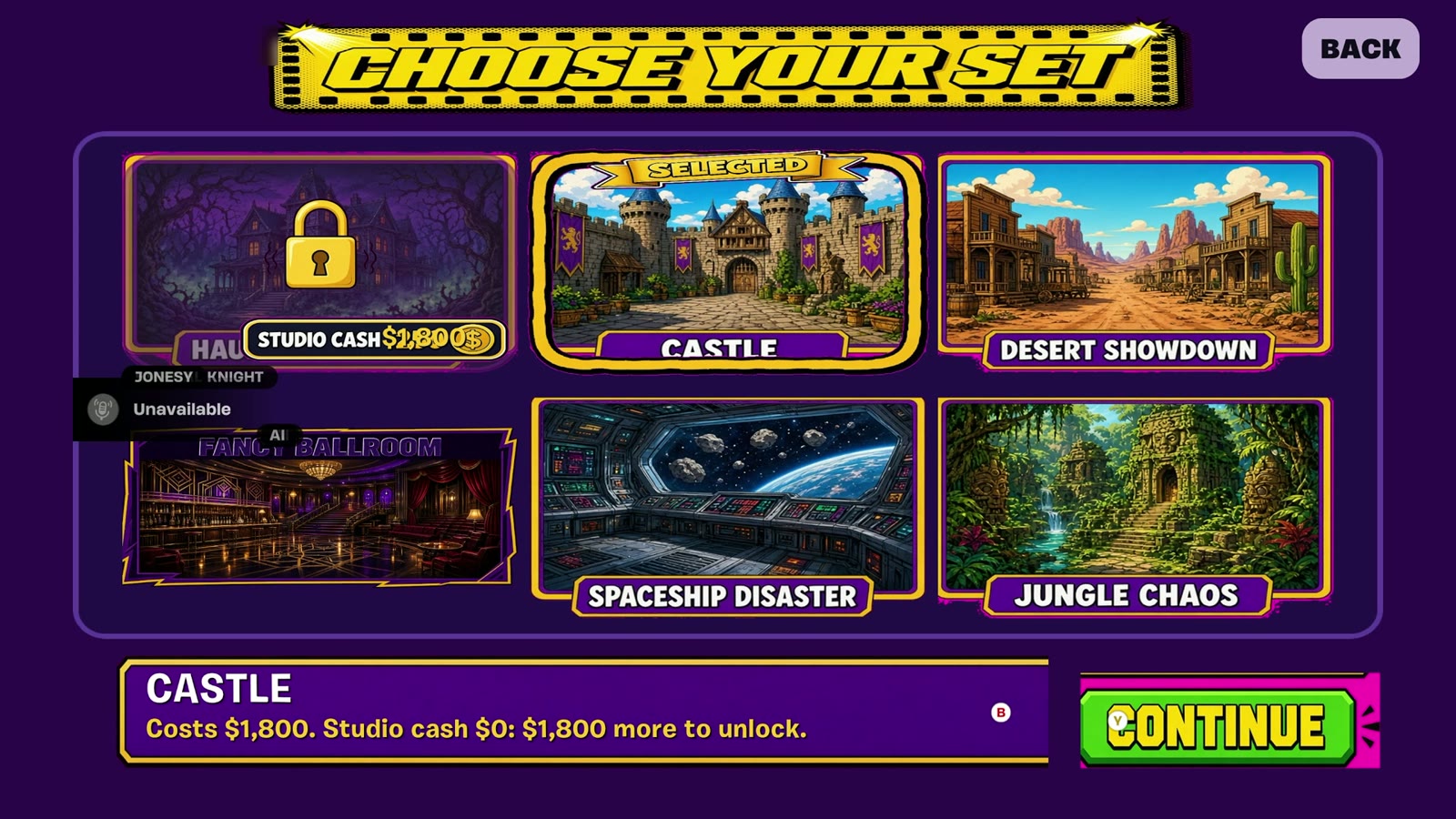
Three days in, the game had two visual registers: bright yellow for choosing, deep purple for money. That split was not planned on Day 1. It came out of building the results screen.
Hot Set was made in four days for the Epic AI MegaJam 2026 by BizaNator (Verse programming, AI tooling, storytelling) and Rin Ella Sky (technical art, UI, visual cohesion). The AI actors, the Showrunner and everything that happens when you press these buttons are BizaNator's work.
- Play Hot Set: https://bizanator.itch.io/hot-set
- Trailer: https://youtu.be/xNuTzG2VBj4
- The team's hour-by-hour build log: https://www.biloxistudios.com/blog/megajam26-devlog
Rinellasky
Related Posts

BizaNator
How Our Actors Move
The game may not reuse Fortnite's emotes, so every wave, shrug and dramatic accusation in HOT SET is ours. Here is how we built them, and the day our import test said no.
Rinellasky
Designing the UI of Hot Set, Part 1: Grey Boxes to a Live Loading Screen
Day 1 of the jam went entirely to UI. By evening, a loading screen I had wireframed that morning was filling to START inside UEFN.
Rinellasky
Designing the UI of Hot Set, Part 2: The Screens Go Live
On Day 2 every screen I designed on Day 1 went into the engine, and the menu became the way into a real game.